 Pipkin
For the beautifully ordinary days
A baby tracker for
all the little things.
The last feed. The next nap. That very first smile. Keep it all in one shared place, with free-forever tracking and a little help finding your baby’s rhythm.
Free forever to track. On iPhone, iOS 17+. No Pipkin account, no ads, no trackers. Your log stays in your own iCloud.

- Sleep
- Feeds
- Diapers
- Growth
- Milestones
Free forever to track A dated pledge. The basics never move behind a paywall.
Saves on your iPhone Local-first, synced to your own iCloud. Entries save the instant you tap.
Shows its work Every nap and feed prediction explains its own reasoning.
One log. Both parents. Invite through iCloud. One Plus covers both parents.
01 / A helping hand
Less remembering.
More being there.
Sleep, feeds, diapers and milestones, gathered into one small record of a very full day. Free to track, with optional Plus insights when you want to look a little closer.
Watch: a bottle, logged and remembered.
40 seconds · no sound needed.
Pipkin 1.3.3, with a fictional baby and example entry. Logging and history are free.
Read the video walkthrough
- From Robin’s Log screen, tap Bottle.
- Choose 120 ml in the bottle-volume sheet, then tap Done. This is an example entry, not a feeding recommendation.
- Open Day. The Today screen shows one feed totalling 120 ml, with the saved bottle’s time and volume in the timeline.
Open or download the video if the player is unavailable.
Log without thinking
Wet, dirty, mixed and dry diapers are each one tap. Feeds and naps start from the Home Screen widget, the Lock Screen, Siri, or a quick-add box you can type or speak ("120ml bottle"), with a Live Activity timer in the Dynamic Island while a feed or nap runs.
See today's rhythm
Pipkin blends your baby's own averages (last wake time, typical wake windows, feed spacing) with age norms into a plain-English forecast: next feed ~10:52, nap ~12:32, wind-down ~18:53. Every prediction shows the maths: it is arithmetic over your own log, and you can check it line by line.
Get the honest heads-up
When the logs confirm a sleep regression or leap, whether that is the 4-month change or the 8/12/18-month windows, Pipkin names it and shows what parents often try. Trends are only called after holding for three weeks, so a rough patch never gets promoted to a pattern.
02 / Inside Pipkin
Made for the days
you have your hands full.
Nine real screens from the redesigned app in light mode, with fictional example data and generated milestone illustrations. Tracking stays free; weekly insights and growth percentiles use Pipkin Plus. Swipe or use the arrow keys to explore.
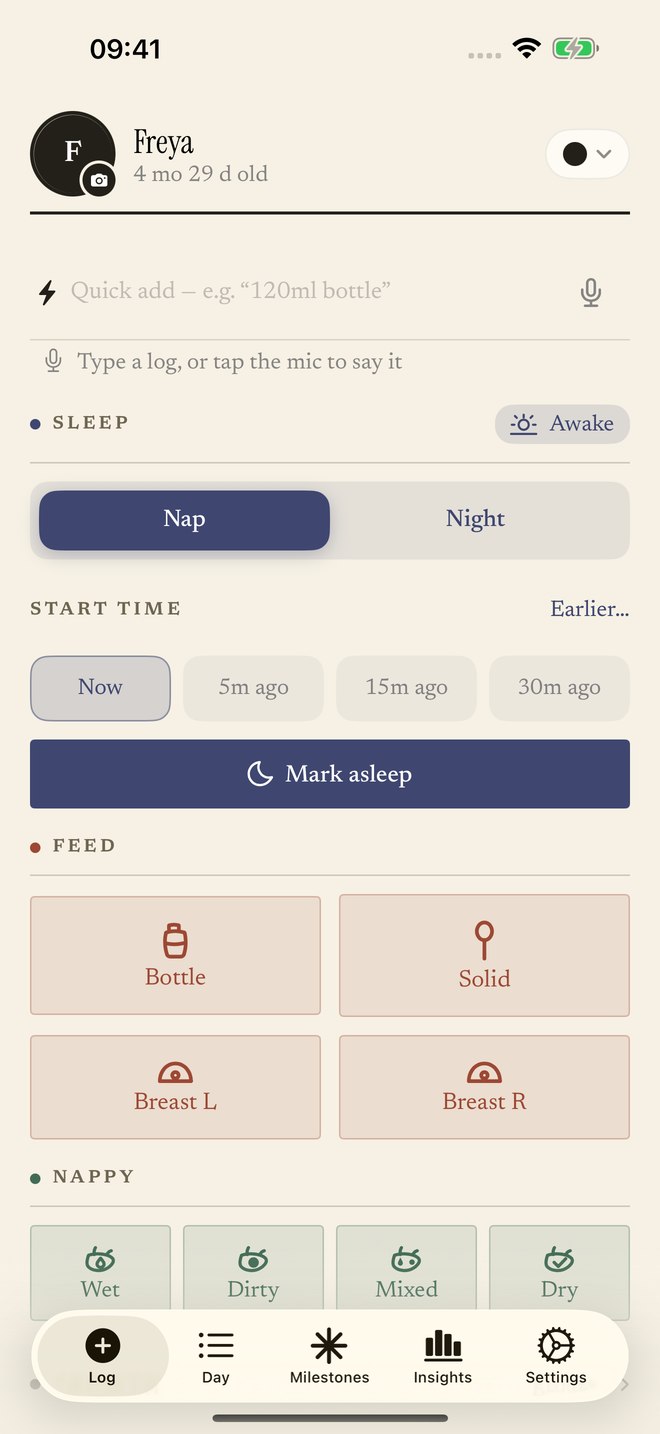 01 / One-tap logging
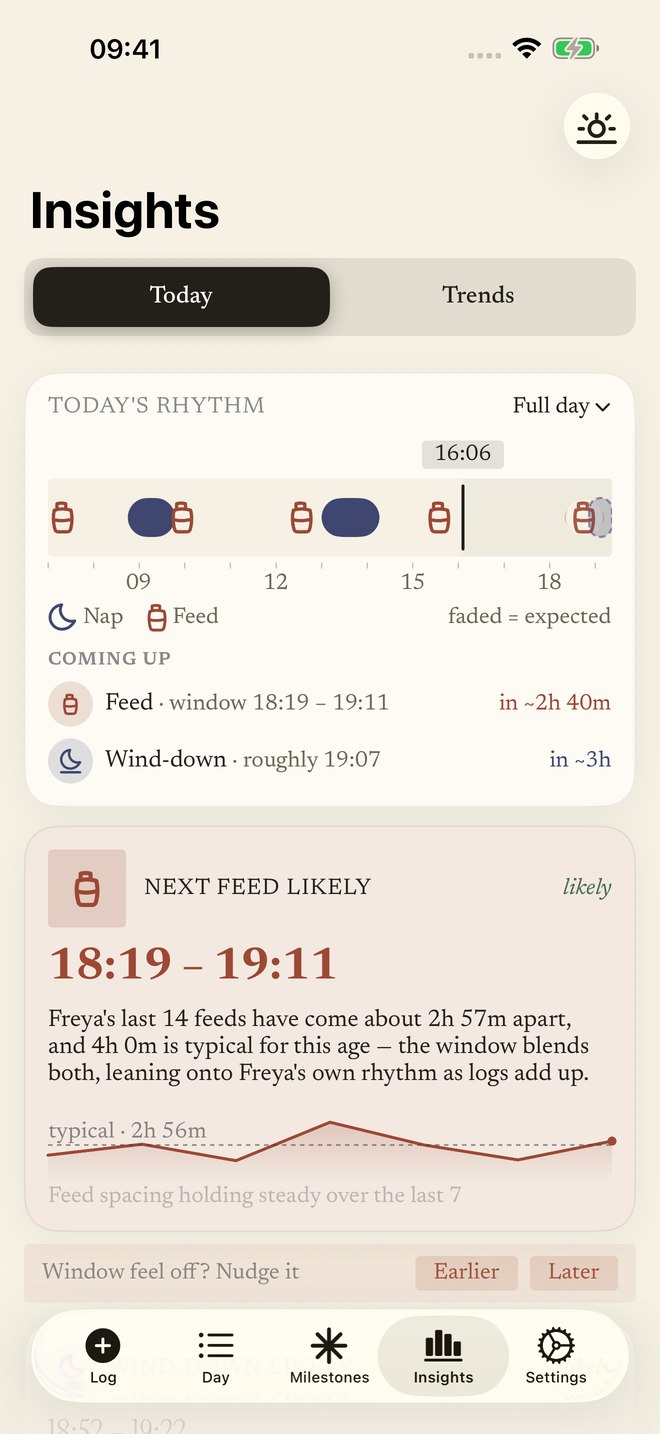 02 / Today’s rhythm
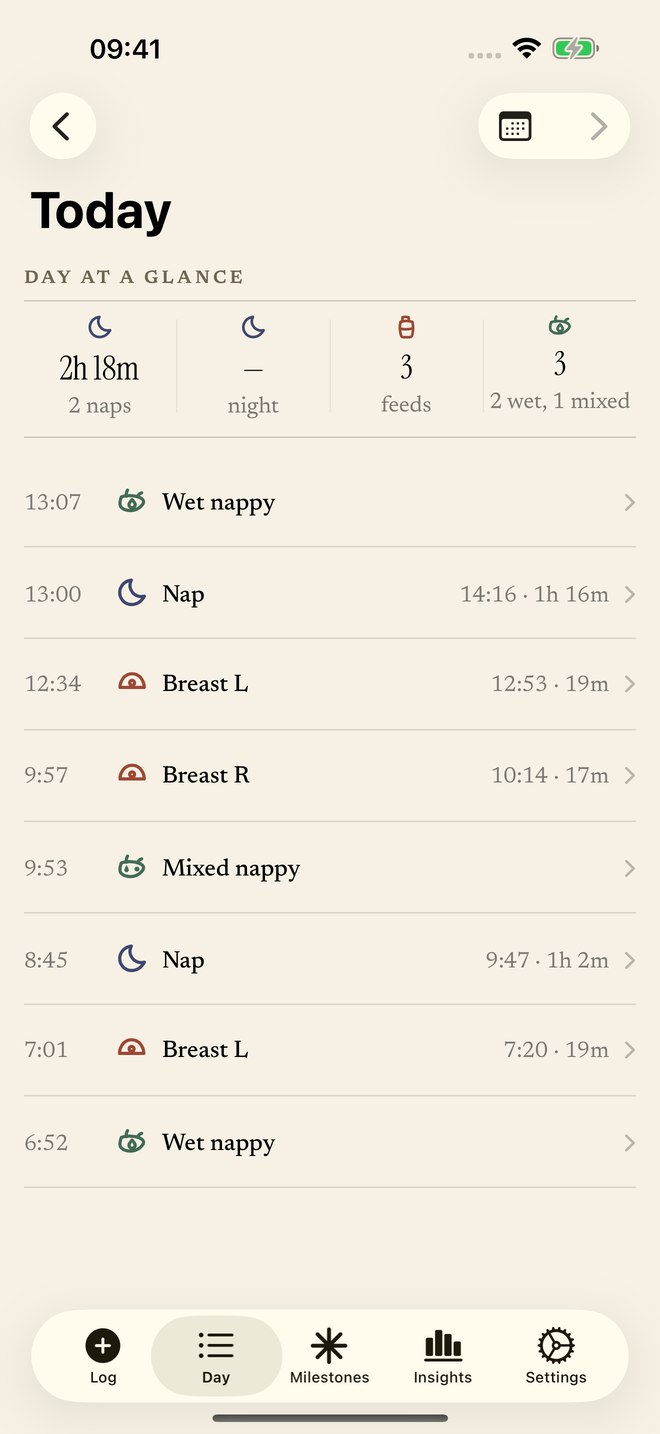 03 / The whole day
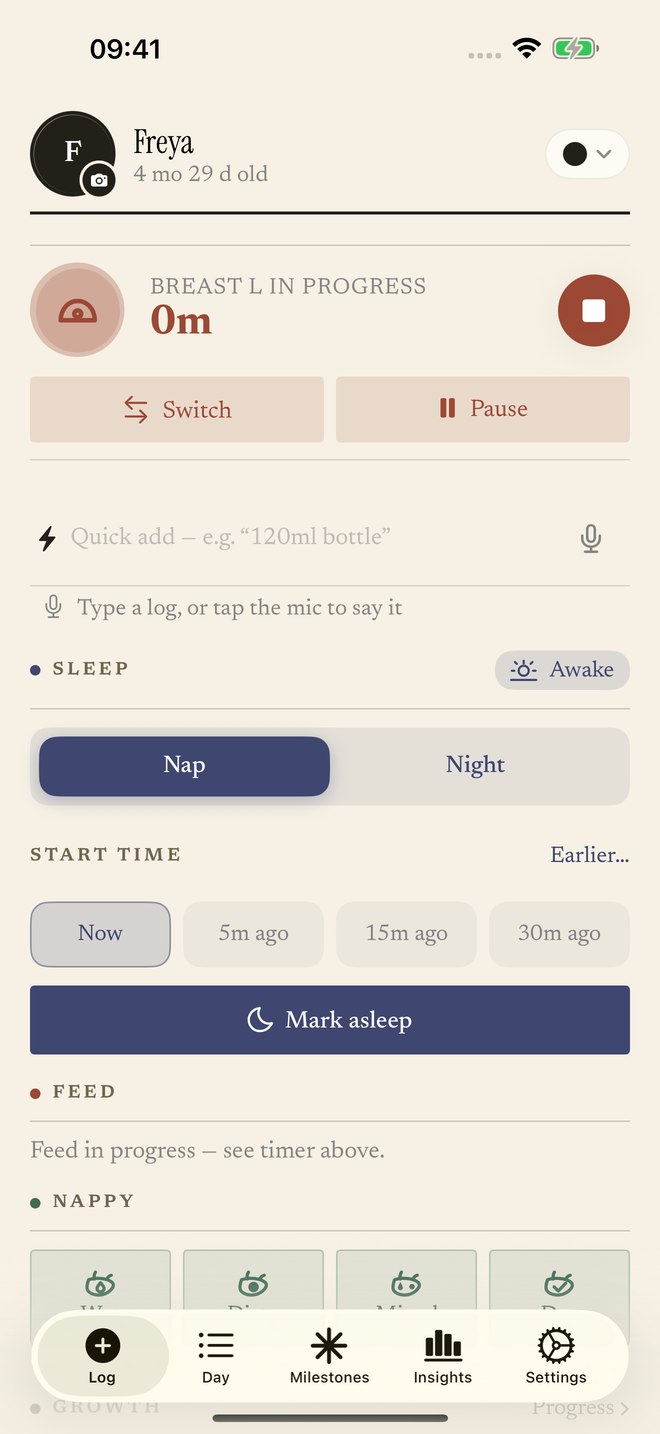 04 / Feeding, remembered
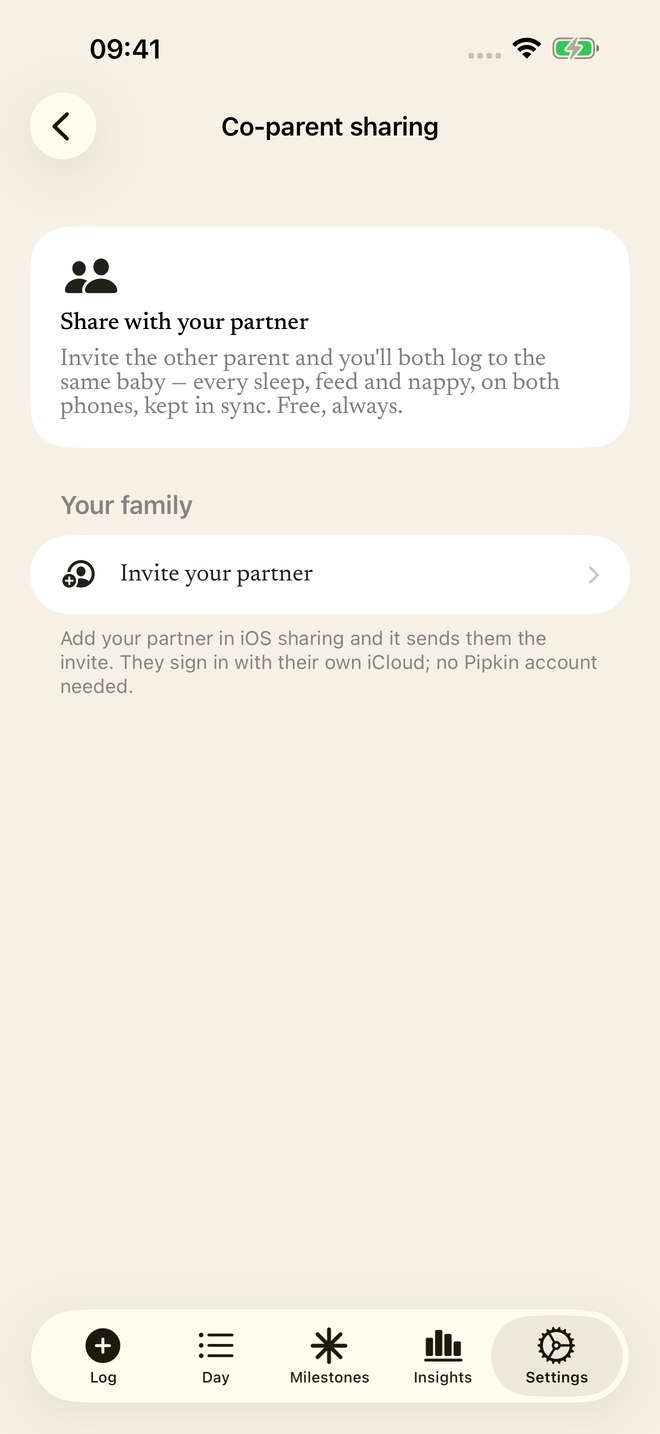 05 / One shared log
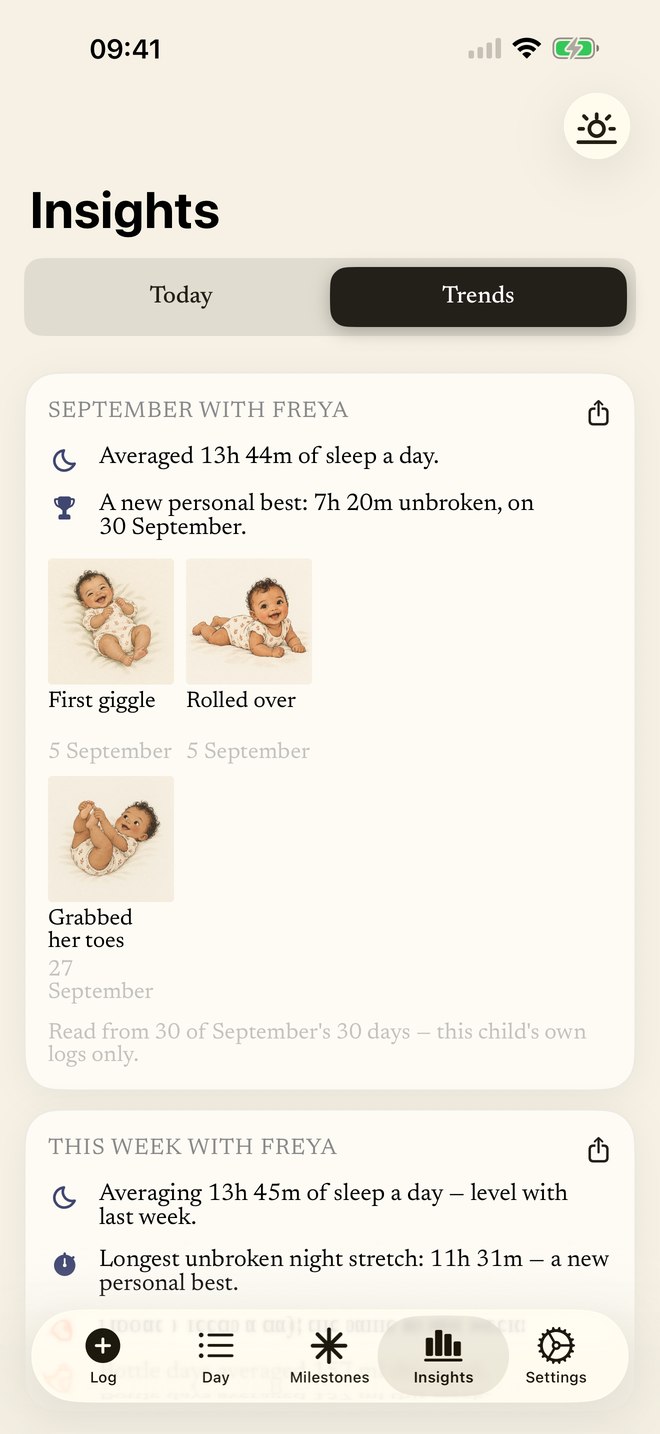 06 / Their changing rhythm
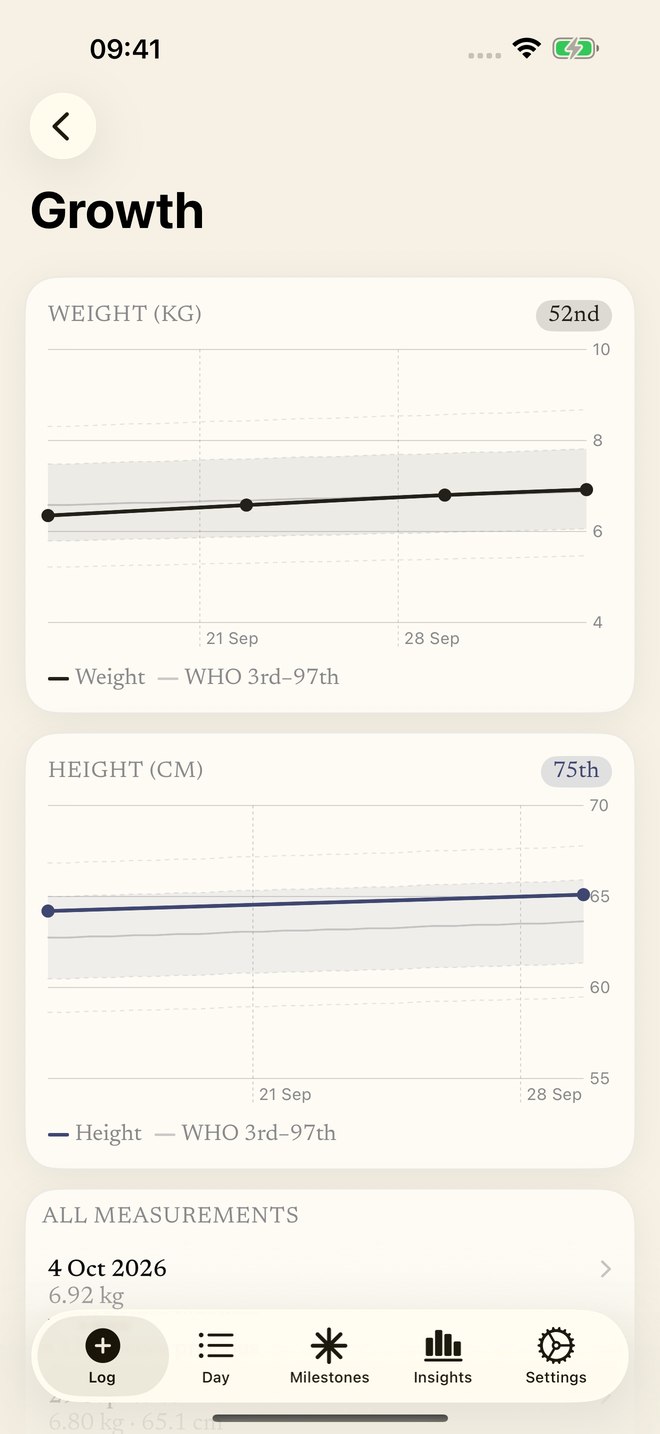 07 / Watch them grow
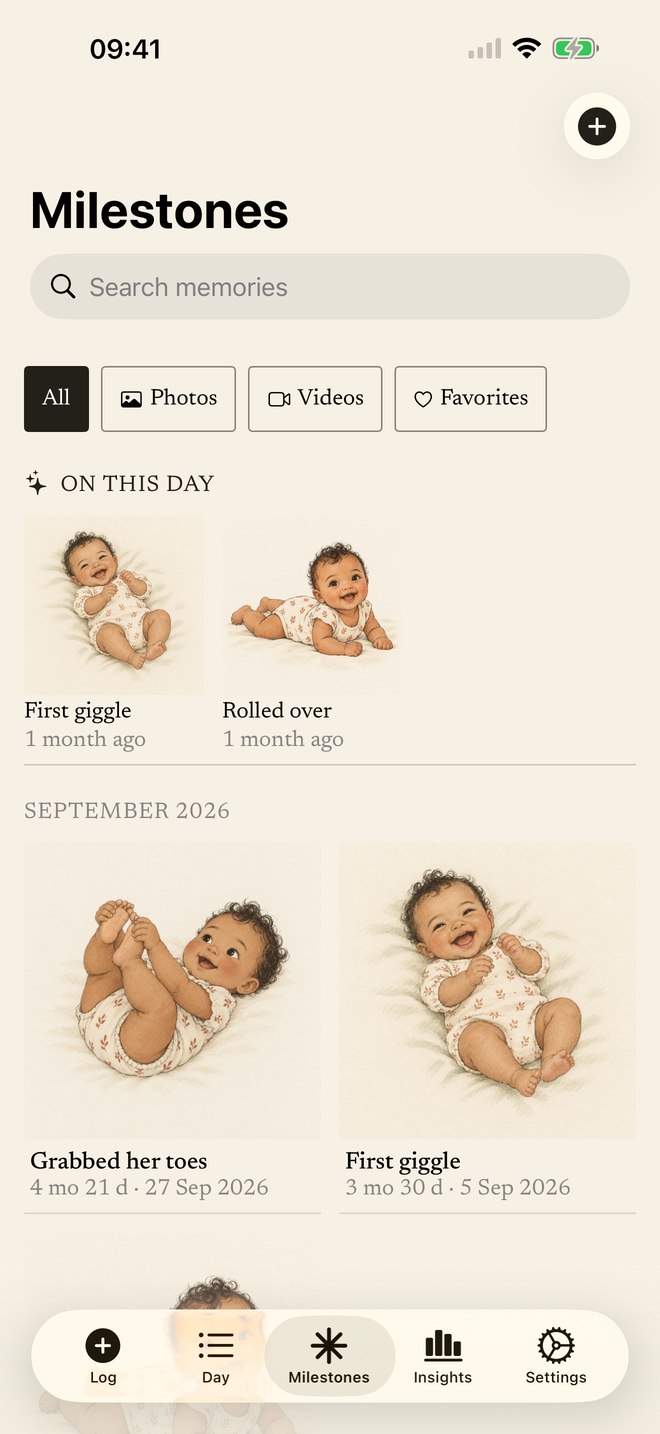 08 / The little firsts
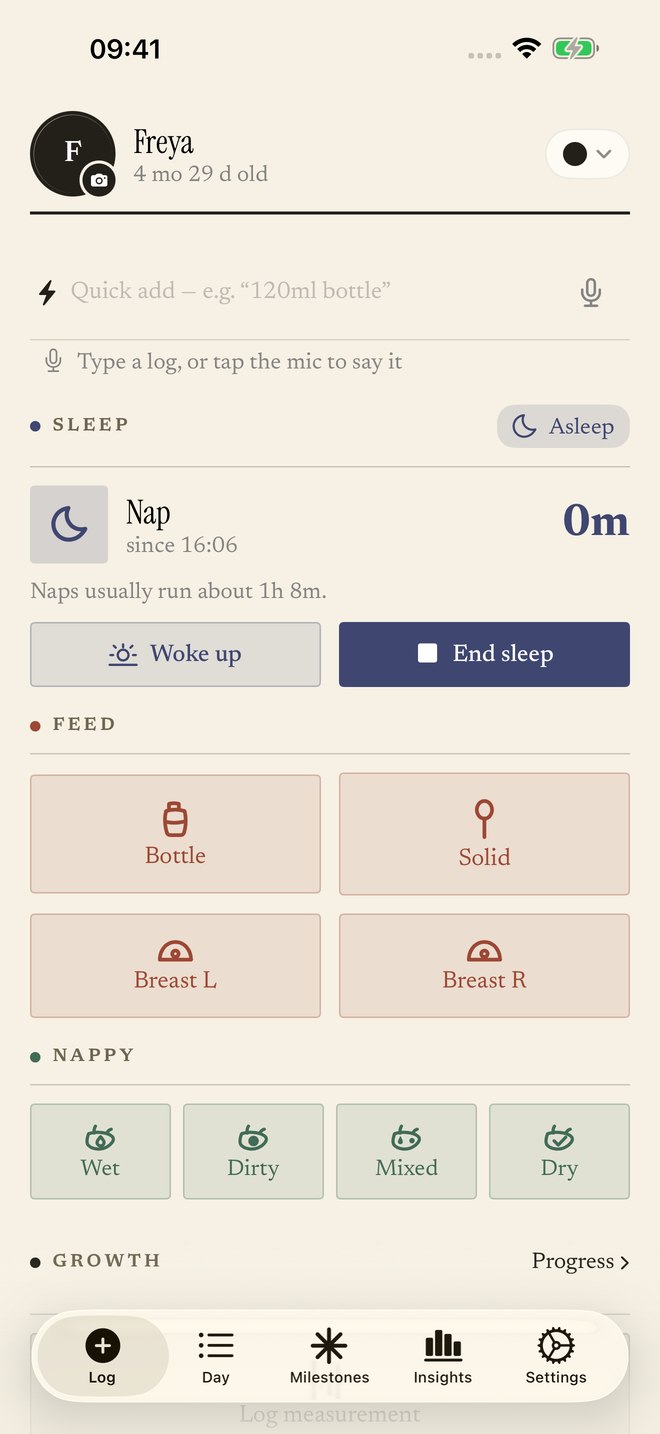 09 / Sleep, remembered
03 / Notes for the early years
For the questions
that keep you up.
Short, honest answers on wake windows, regressions and feeding amounts, plus how to put your own baby's data to work on each one.
Wake windows by age: the chart, and how to stop needing it
How long your baby can comfortably stay awake from newborn to 24 months, and why their own data beats any chart.
Read the guide → FeedingNewborn feeding schedule: how much, how often, by age
Typical amounts in ml and oz from birth to 12 months, what varies, and when to ask your paediatrician.
Read the guide → SleepThe 4-month sleep regression: signs, causes, how long it lasts
Why sleep falls apart around 4 months, what actually helps, and how to know from your log that it's really here.
Read the guide → SleepSleep regression ages: 4, 8, 12 and 18 months explained
Every common regression window in the first two years, what drives each one, and how to tell a regression from a bad week.
Read the guide → FeedingCluster feeding: why your newborn feeds all evening
What's normal, how long the witching-hour phase lasts, and how a feed log turns panic into a visible pattern.
Read the guide → SleepThe 2-to-1 nap transition: when babies drop to one nap
The readiness signs, the usual age range, and how to confirm your toddler is actually ready, with data rather than vibes.
Read the guide → DiapersHow many wet diapers should a newborn have?
Day-by-day expectations in the first weeks, why output matters, and the one-tap log your paediatrician will thank you for.
Read the guide → AppA baby tracker for both parents: one log, two iPhones
What each parent needs, how to send an iCloud invitation, and what to check when syncing takes time.
Read the guide → AppFree baby tracker apps: what “free” actually means
An honest look at what "free" means across the popular trackers, and the pledge Pipkin puts in writing.
Read the guide → AppLooking for a Huckleberry alternative?
We categorised 1,708 Huckleberry reviews before building Pipkin. Here's what parents kept asking for, and what we did about it.
Read the guide →04 / Good to know
The fine print,
up front.
A few things you might be wondering, answered plainly.
Is Pipkin really free, or is it a free trial?
All tracking is free forever: sleeps, feeds, diapers, growth, milestones, widgets, co-parent sync, CSV export and WHO growth curves. It's a dated, written pledge with a date on it, so you can hold us to it. Plus adds analysis on top. Learn more
Can both parents use one baby tracker?
Yes. Add your partner through iOS sharing; a QR code or link can help them open the invitation. Each parent uses their own iCloud, with no separate Pipkin account. Tracking and sharing are free, and one optional Plus subscription covers both parents. Learn more
How does Pipkin predict naps and feeds?
From your baby's last wake and their own personal averages, blended with age-based wake windows. Every prediction shows its reasoning: rule-based and auditable, so you can follow the arithmetic yourself. Learn more
Is Pipkin a good Huckleberry alternative?
Pipkin was built after categorising 1,708 Huckleberry reviews: free-forever tracking, both parents on one subscription, and predictions that show their work. Learn more
Where is my baby's data stored?
On your iPhone and in your own iCloud. Pipkin has no account system, no ad-tech and no trackers. Your child’s log syncs through your iCloud and with caregivers you invite. It is not sent to Pipkin’s developer. The app separately sends anonymous usage signals, subscription records and, where applicable, Apple ad attribution. Learn more
Does Pipkin flag sleep regressions?
Yes. It names the 4-month change and the 8/12/18-month windows when your baby's own logs confirm them, with what parents often try. It arrives as a gentle heads-up. Learn more
How much does Pipkin Plus cost?
In the UK, £5.99/month or £34.99/year, with a 7-day free trial for eligible subscribers. Prices vary by storefront; check your local App Store. Cancel in Settings. The price you start at is the price you keep, and one subscription covers both parents. Learn more
Is Pipkin on Android?
No. Pipkin is iPhone-only (iOS 17+), and deliberately so. We'd rather be excellent on one platform than mediocre on three. Learn more
A note from Josh
What’s free today
stays free.
Made by one parent in London.
A promise, put in writing.
The most common complaint about the app I'm replacing isn't a bug. It's that features people relied on, free for years, moved behind a subscription overnight. Parents still write about it, five years on. So, in writing:
Every free feature in Pipkin stays free. All tracking, the day timeline and summaries, growth charts and history, widgets, Live Activities, iCloud sync, and CSV export will never move behind the paywall.
Plus only ever gates new intelligence: predictions, pattern surfacing, WHO percentiles. If I ever break this promise, this page will still be here, and every one-star review gets to link to it.
Josh, Pipkin's developer · London, June 2026
Ready when you are
One less thing
to keep in your head.
Free forever to track. Start logging without a separate Pipkin account. Your first prediction arrives once Pipkin has seen a few days of your baby's rhythm.

iPhone · iOS 17+ · Free, with optional Plus